
Ford-ward thinking: Future-proofing localisation to account for copy governance
Ford Pro™ moved away from conventional, Excel-based localization and embraced a new tool called Lokalise. It’s been a huge win that shortened the time to production and gave teams a single, easy-to-access home for our copy.
I took the opportunity to build on this new process by adding copy governance, ensuring everything we create stays in line with our brand style guide.
Challenges
- Connect many moving parts
- Extend an already existing learning curve
Responsibilities
- Create a tagging system
- Align stakeholders
- Socialise the new process
The existing localisation process
6 Teams, 5 tools, up to 4 weeks
Yes, you read that right. Many teams doing many different things using multiple tools. As we all know, wherever there’s a handoff between parties, that’s usually where the trouble hides.
A typical localisation process involves 6 teams, 5 steps, and at least 4 different tools. Even when everything goes perfectly, it can still take 4 weeks from the moment copy is signed off until it hits production. And that’s the best-case scenario. Once you add in last-minute copy tweaks, things get messy fast, and managing it all efficiently becomes a real challenge.
Hello,

The new localisation process
To 6 teams, 4 tools, up to 2 weeks.
Lokalise is a single access point, and brings teams together in one place. This really streamlines the journey to production and helps avoid those easy-to-make mistakes along the way. Moreover, it’s integrated with Figma and GitHub, allows for in-context translations (screenshot upload) and works as a single source of truth for copy.
The localisation process relies on exporting copy (keys) directly from Figma into Lokalise, where they are translated and adapted. Once that is done, content can automatically be pushed live.
What about
…
governance?
Content tagging to the rescue
Human errors happen. Sometimes you’ll find Submit and Send within the same software, even flow. How can we use this tool to keep our language consistent across a complex product like Ford Pro™ Telematics? How do we fix those little mismatches, or better yet, prevent them from popping up in the first place?
While Lokalise has been a game-changer for our translation process, keeping track of copy was still a bit of a puzzle.
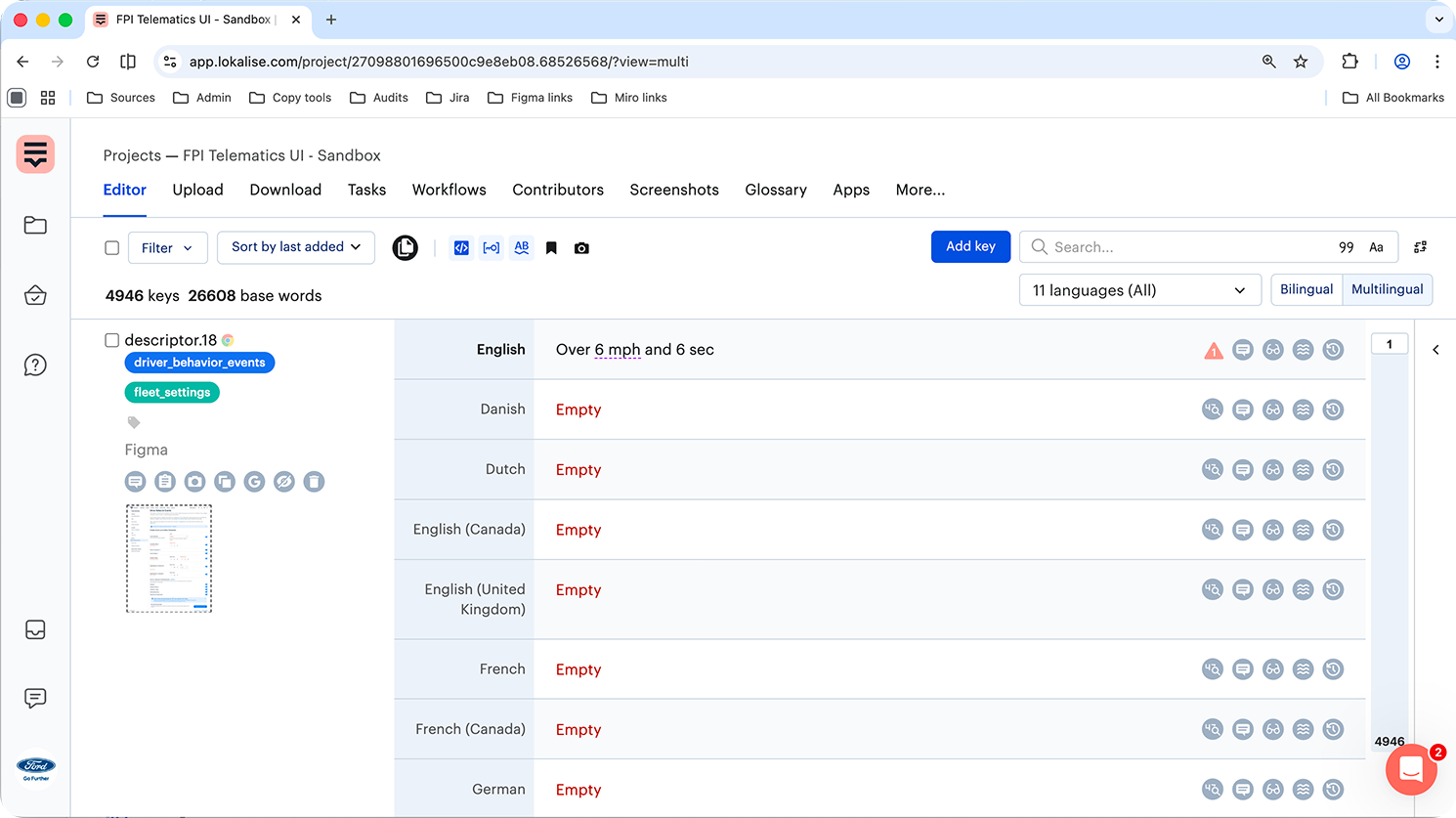
The secret? A little bit of prep work! Before running the Lokalise plugin in Figma, we’ve found that tagging keys thoughtfully makes content parsing much easier.
Here’s our simple workflow:
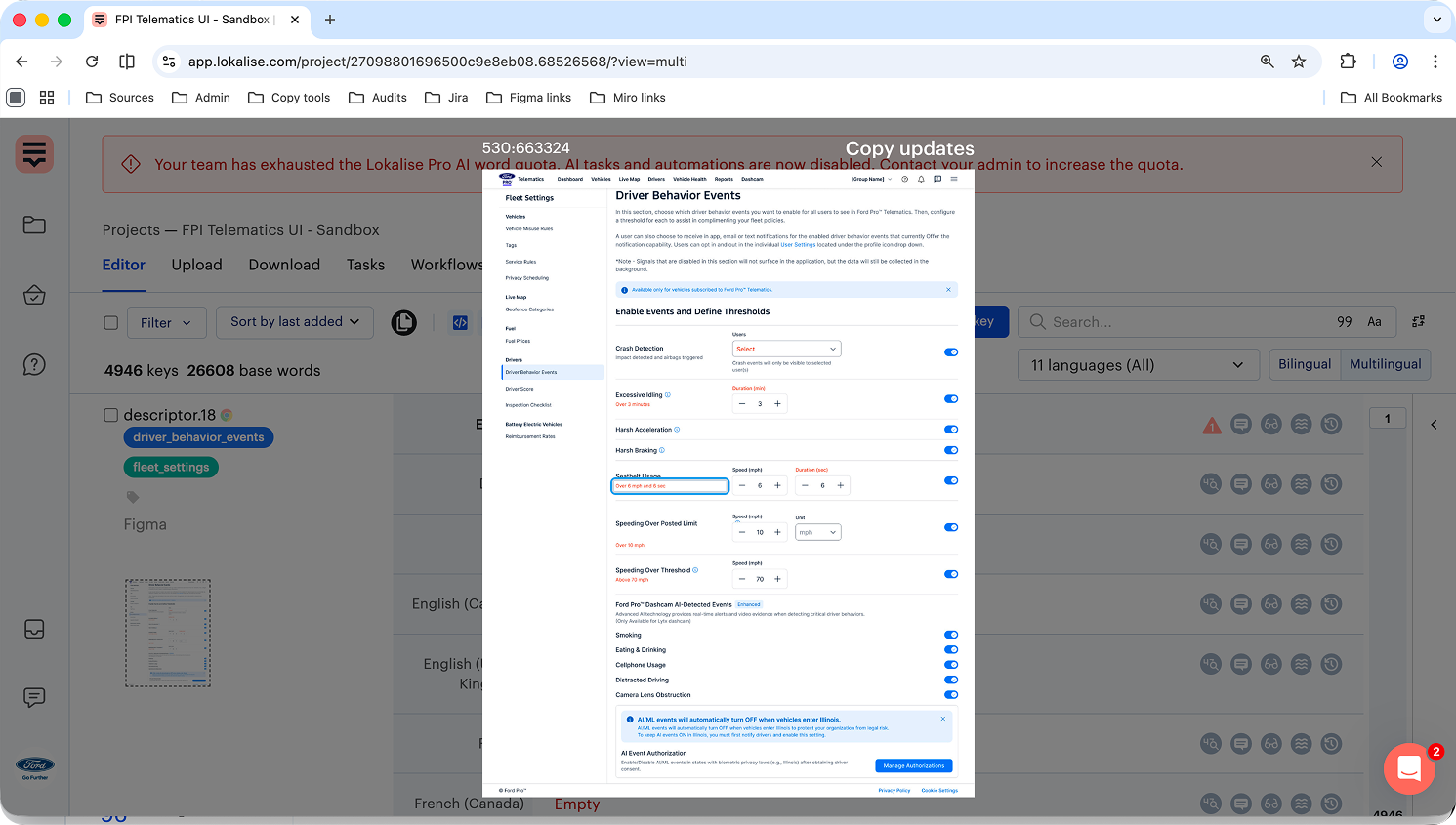
- Name your text layers in Figma following our verbal design system standards (e.g, descriptor).
- Give your Figma frames clear names. Since these become the screenshot names in Lokalise (e.g. Copy updates)
- Add helpful tags to the keys (e.g. feature + sub-feature, i.e. driver behaviour events, fleet settings)
* I’d love to dive deeper into the details, but I have to keep things brief.
Do you believe in magic?
From aerospace engineering to content design? I can understand your confusion. But unicorns are real. Don’t believe me? Let’s connect.
© 2026 Oana Petrache